


Get started with the Feltguiden Drone App

Feltguiden Drone is a field guide and an exam trainer in one app. It shows what you are allowed to do with your own drone, gives you checklists and tools in the field, and helps you practise for the drone exam. Everything works offline.
This guide takes you through the app in six steps, from choosing your drone to being ready for the exam. The images show how it looks on the phone.
1. Choose your drone
The first time you open the app, you choose your drone from 27 models. If yours is not listed, you enter its weight, class label and wind limit yourself.
On Home you see straight away what applies to your drone:
which subcategory you fly in (A1, A2 or A3)
how close to people you may fly, and how high
which certificate you need
figures from the manufacturer, such as weight, wind limit and flight time
If you change drone, the rules, checklists and tools update automatically.

2. Before you go: checklist and wind check
Go to Fly and open the Pre-flight checklist. The list is split into what you do at home and what you do on site, and it is tailored to the drone you have chosen. Tap “Read” next to an item to have it explained.

Then check the wind. Under Fly → Tools → Wind check, enter the mean wind and the gusts from the forecast. The app compares them with your drone’s own wind limit and shows whether you have a good margin, are close to the limit, or should stay at home. Remember that the wind is stronger aloft than the 10-metre forecast shows.

3. Plan the light and save the place
For the best images, the light matters a lot. Open Fly → Tools → Light planner, and search for the place you will fly, or tap “Use my location”. You see:
a timeline for the whole day, with night, blue hour, golden hour and day
when the sun rises and sets, and in which direction
the moon phase, and when it is dark enough for aurora
Use the arrows to move to another date and plan a trip ahead.
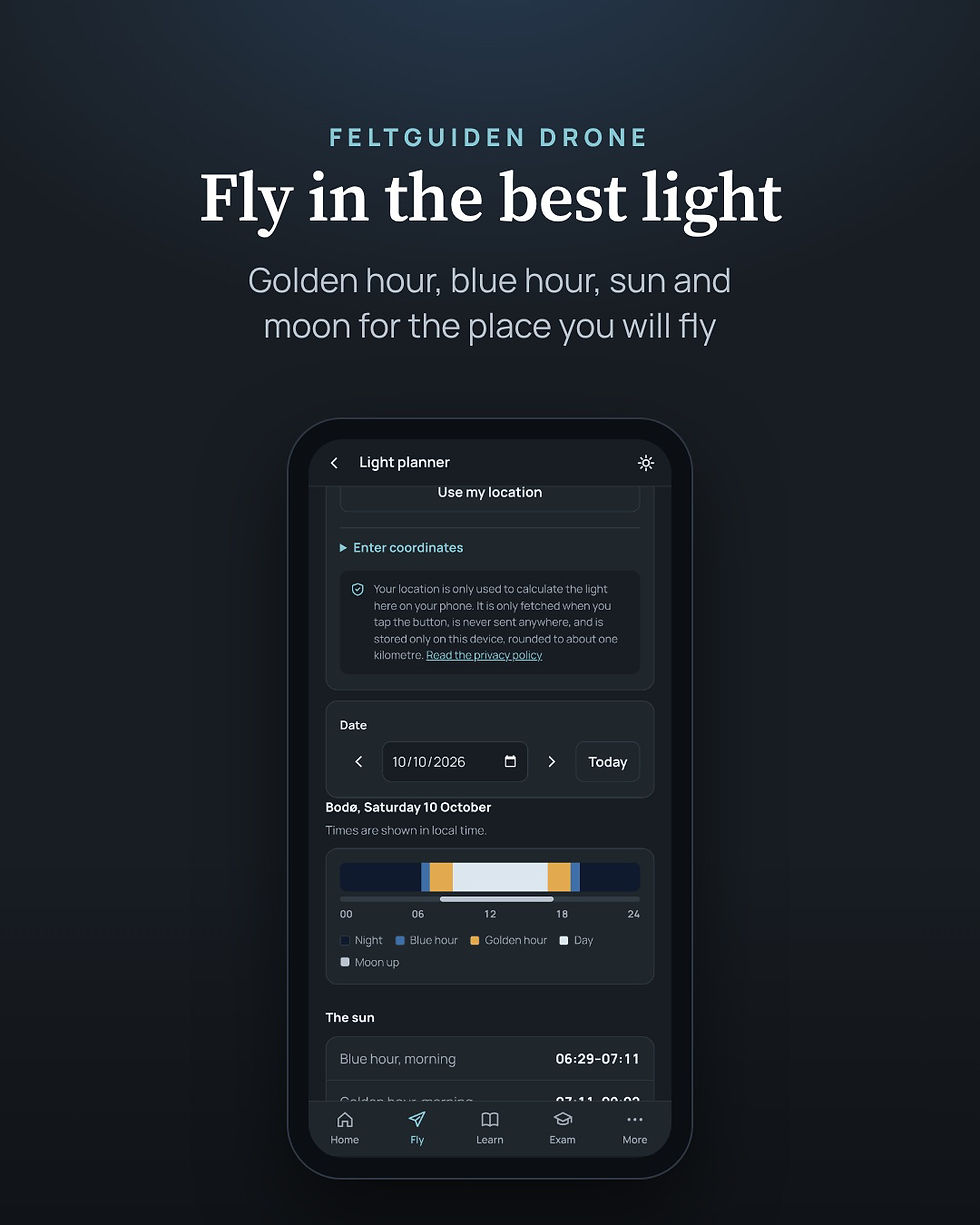
Tap the star to save the place in My places. There you can add the best light, the best time of year, access and notes, for example where you can take off and which zones you need to check.
4. In the field
The Fly tab gathers everything you need on site:
Can I fly here? links to drone zones, NOTAMs, aerodromes and weather.
Distance from people calculates the minimum distance by the 1:1 rule, 30 metres, and 5 metres in low-speed mode.
Return and battery shows how long the trip home takes in a headwind.
Height near an obstacle explains 120 metres and the 15-metre exception.
Flight log keeps track of your flights and batteries.
If something goes wrong, you find short advice under If something goes wrong: lost signal, low battery, GPS or compass errors, and manned aircraft nearby.
In bright sunlight, you can turn on sunlight mode with the sun at the top right. The screen then gets higher contrast.

5. Learn the rules
Under Learn there are 30 easy chapters in seven parts: rules, airspace, weather, the drone, flying safely, photo and video, and the way forward. The app remembers where you left off, so you can continue where you were.

Every chapter starts with the key points, and has figures that make the rules easy to remember. If you already know a bit, open “Next level” for more depth. If you are unsure about a word, you find it in the glossary of 120 terms and abbreviations.

6. Practise for the exam
The Exam tab has practice for both A1/A3 and A2. A1/A3 is included in the app, with 144 practice questions. A2 is unlocked with a one-time in-app purchase, and has 467 questions.
Every question has an explanation and a source, so you learn why the answer is right. You can:
take a quick round of ten questions
practise one topic at a time
practise what you got wrong

When you feel ready, take a mock exam. For A2 it is set up like the real one: 30 questions, 60 minutes and 23 correct to pass. The app tracks your progress and shows when you are ready to book the exam at the test centre. The requirements in the app are stricter than at the exam, so you have a margin.

Privacy
Feltguiden Drone has no account, no ads and no tracking. Everything you save, such as your drone, flight log, places and exam answers, stays on your own phone. Your location is used only when you tap, and is never sent anywhere.
Get started
Feltguiden Drone costs NOK 99 in the App Store, with A1/A3 practice included. The A2 exam is unlocked with a one-time purchase of NOK 299. There are no subscriptions. The app is available for iPhone in Norway, in Norwegian and English.
Download Feltguiden Drone in the App Store
The app is a guide, not a clearance. Always check the official sources before you fly.
Happy flying
Thomas Liva


Comments